September 16, 2025
Sublimify vs Photo Editing Tools: The Match
The Guide for Restaurateurs, Food Trucks, and E-commerce Merchants
September 16, 2025
In the age of "everything visual," your food photos are often the first impressions—and sometimes the only chance to convince a customer. Several digital solutions promise to help: background removal, retouching, templates, etc. However, not all are designed for food photography intended for platforms, e-commerce, or social media. Moreover, many do not consider the specific challenges of a restaurateur: volume, regular updates, visual consistency, ease of use.
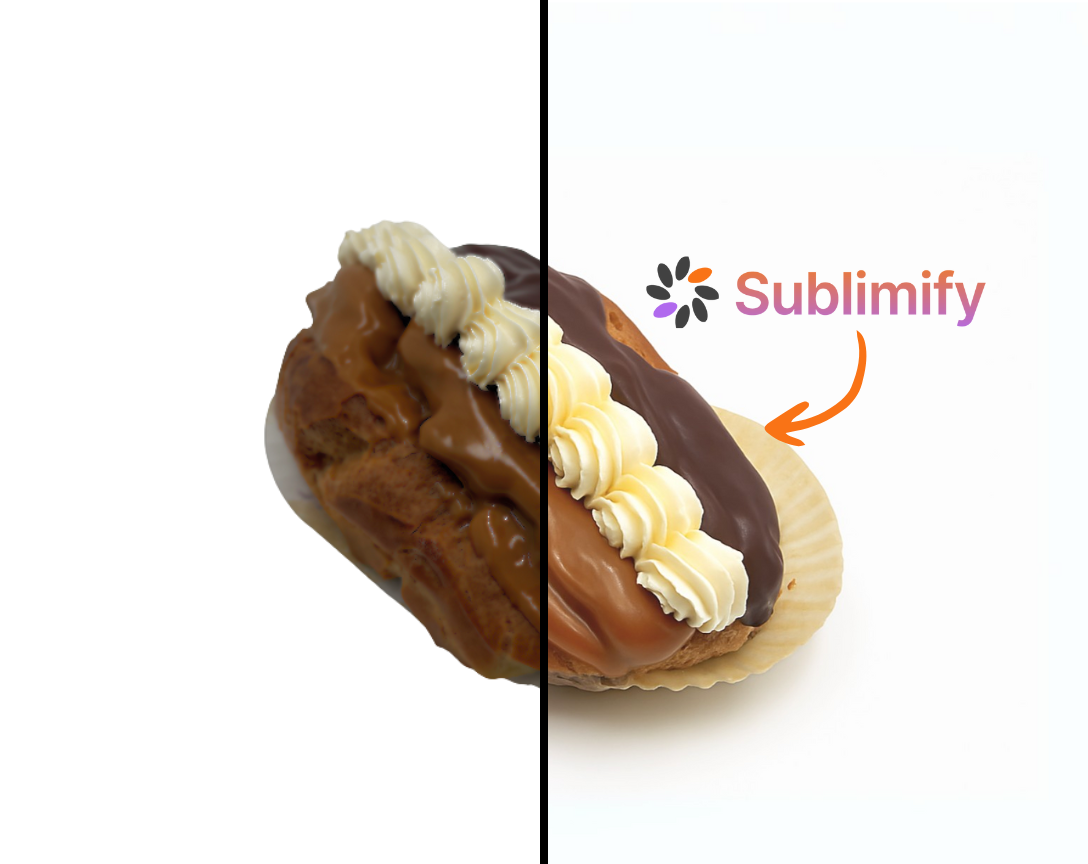
This is where Sublimify comes into play: more than just a "background remover," it is a complete chain for enhancing food photos (lighting, color, framing, batch processing, optimization for delivery/platforms). This article compares digital alternatives, identifies their strengths/weaknesses, and shows why Sublimify is often the best option for food professionals.
Nous avons identifié les principaux outils : Remove.bg, Pixelcut, Fotor, Slazzer, Canva.
Remove.bg:
✅ Advantages:
Very fast, one-click
❌ Disadvantages:
Only cuts out to remove and modify the background.
Does not handle lighting, colors, framing; not optimized for "dish in context."
Pixelcut:
✅ Advantages:
Product retouching & templates
❌ Disadvantages:
Requires knowledge and manual retouching. Generalist product, less specifically for food/restaurants.
Fotor:
✅ Advantages:
Complete retouching + templates
❌ Disadvantages:
May require more time/skills; frequent volume + visual consistency not automatic.
Slazzer:
✅ Advantages:
Background removal + product enhancement
❌ Disadvantages:
Primarily useful for background removal.
Optimized for product catalogs, not necessarily for "hot dish, texture, natural light."
Canva:
✅ Advantages:
Accessible, quick design
❌ Disadvantages:
Good for social media but requires more time/skills to rework a photo in its entirety (lighting, texture, consistency).
With Sublimify, you have:
Automatic correction of lighting, color, sharpness, specially calibrated for food dishes.
Background retouching but also intelligent framing, aligned with menu/platform standards.
Simple workflow: from smartphone to publish-ready visual in record time.
Specific optimization for restaurants/food trucks/e-commerce (not just "generic product").
→ These combined points mean that Sublimify does not just "remove the background," but enhances the food photo as a sales tool.
Example: You add 5 new dishes this month.
Quick photo shoot (smartphone, available light).
Upload to Sublimify – automatic processing.
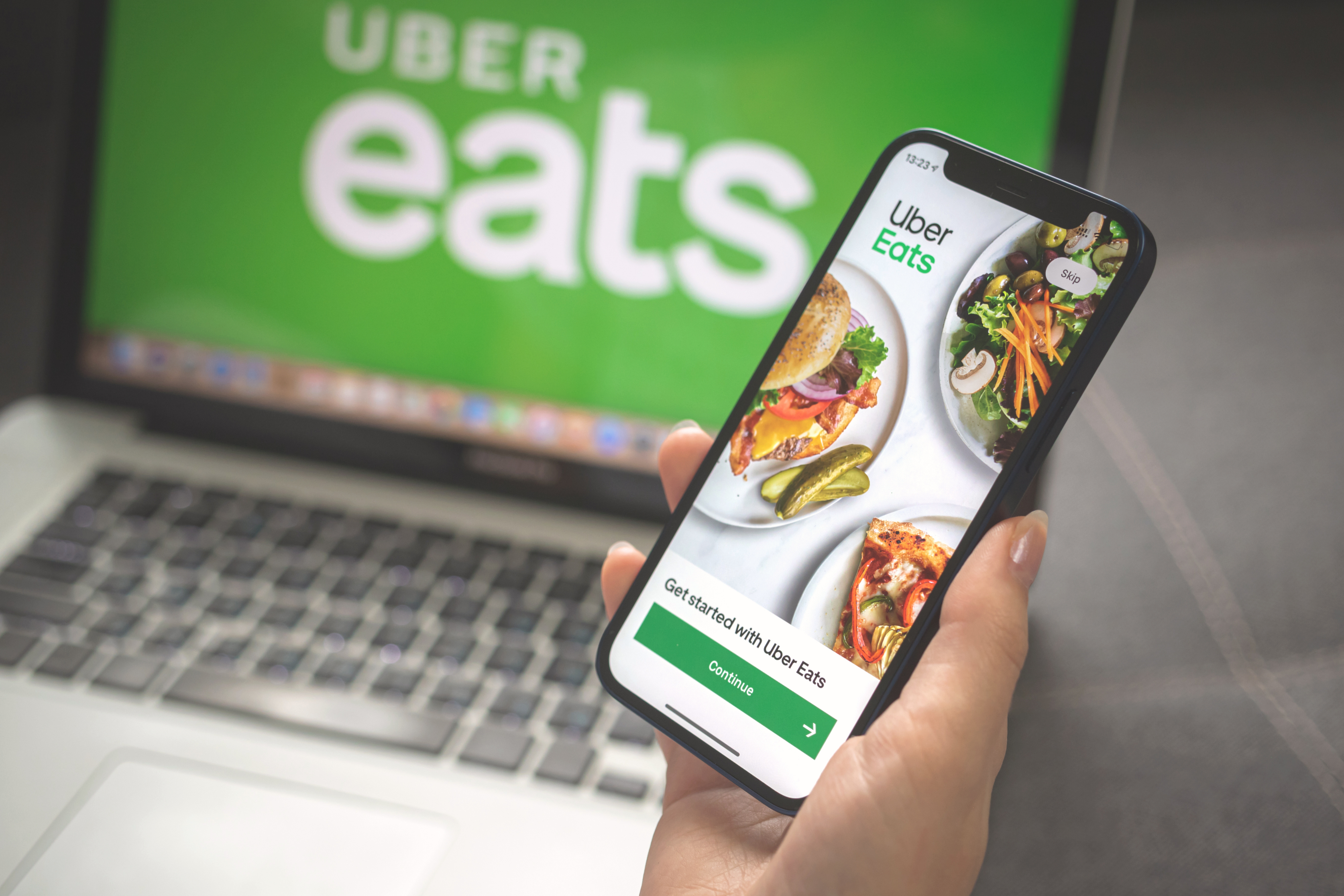
Export visuals for: Uber Eats menu, webpage, Instagram.
Consistent, cohesive updates without needing to redo photo shoots or manual retouching.
Result: reduced time, professional quality, minimal cost.
In comparison, using only Remove.bg or Canva would require: manual retouching, lighting/color adjustments, cropping, homogenization—thus time + costs.
To choose your tool, ask yourself:
Is my photo volume significant (frequent menus)?
Do I need a consistent look across all my images?
Do I need a "food plate" tool or is a generalist sufficient?
What is my budget/time available?
→ If you need to frequently produce food photos with professional quality, brand consistency, and speed, then Sublimify is the most suitable solution.
→ If your needs are occasional and basic (for example, occasional background removal), a generalist tool may suffice.
In today's digital landscape, food photography is no longer a luxury: it is a business necessity. Many digital solutions exist for retouching or removing backgrounds, but very few are specifically formulated for dishes, restaurants, or food e-commerce. This is where Sublimify makes a difference.
By combining automation, visual intelligence calibrated for food, batch processing, and professional rendering—all at a reasonable cost—Sublimify becomes the tool of choice for restaurateurs, local merchants, and food e-merchants. You gain speed, visual consistency, efficiency; you reduce costs and technical constraints.
Ultimately, rather than choosing between a "generic tool" or an "expensive photographer," you have a solution tailored to your profession. Try it: compare a visual created via Sublimify to that of a generalist tool. You will immediately see the difference. Your dishes deserve to be seen as they truly are—authentic, appetizing, professional.
And with Sublimify, you no longer wait for the photographer: you publish.

Want to try it for free?
Enjoy your first 3 credits for free!
No credit card required.
10 simple tips to succeed in your food photos and enhance them in one click with Sublimify.
Read the article →
Bakeries, cheese shops, caterers: Sublimify enhances your artisanal products in seconds.
Read the article →
Create irresistible visuals for platforms with Sublimify, your AI photo studio.
Read the article →
September 16, 2025
In the age of "everything visual," your food photos are often the first impressions—and sometimes the only chance to convince a customer. Several digital solutions promise to help: background removal, retouching, templates, etc. However, not all are designed for food photography intended for platforms, e-commerce, or social media. Moreover, many do not consider the specific challenges of a restaurateur: volume, regular updates, visual consistency, ease of use.
This is where Sublimify comes into play: more than just a "background remover," it is a complete chain for enhancing food photos (lighting, color, framing, batch processing, optimization for delivery/platforms). This article compares digital alternatives, identifies their strengths/weaknesses, and shows why Sublimify is often the best option for food professionals.
Nous avons identifié les principaux outils : Remove.bg, Pixelcut, Fotor, Slazzer, Canva.
Remove.bg:
✅ Advantages:
Very fast, one-click
❌ Disadvantages:
Only cuts out to remove and modify the background.
Does not handle lighting, colors, framing; not optimized for "dish in context."
Pixelcut:
✅ Advantages:
Product retouching & templates
❌ Disadvantages:
Requires knowledge and manual retouching. Generalist product, less specifically for food/restaurants.
Fotor:
✅ Advantages:
Complete retouching + templates
❌ Disadvantages:
May require more time/skills; frequent volume + visual consistency not automatic.
Slazzer:
✅ Advantages:
Background removal + product enhancement
❌ Disadvantages:
Primarily useful for background removal.
Optimized for product catalogs, not necessarily for "hot dish, texture, natural light."
Canva:
✅ Advantages:
Accessible, quick design
❌ Disadvantages:
Good for social media but requires more time/skills to rework a photo in its entirety (lighting, texture, consistency).
With Sublimify, you have:
Automatic correction of lighting, color, sharpness, specially calibrated for food dishes.
Background retouching but also intelligent framing, aligned with menu/platform standards.
Simple workflow: from smartphone to publish-ready visual in record time.
Specific optimization for restaurants/food trucks/e-commerce (not just "generic product").
→ These combined points mean that Sublimify does not just "remove the background," but enhances the food photo as a sales tool.
Example: You add 5 new dishes this month.
Quick photo shoot (smartphone, available light).
Upload to Sublimify – automatic processing.
Export visuals for: Uber Eats menu, webpage, Instagram.
Consistent, cohesive updates without needing to redo photo shoots or manual retouching.
Result: reduced time, professional quality, minimal cost.
In comparison, using only Remove.bg or Canva would require: manual retouching, lighting/color adjustments, cropping, homogenization—thus time + costs.
To choose your tool, ask yourself:
Is my photo volume significant (frequent menus)?
Do I need a consistent look across all my images?
Do I need a "food plate" tool or is a generalist sufficient?
What is my budget/time available?
→ If you need to frequently produce food photos with professional quality, brand consistency, and speed, then Sublimify is the most suitable solution.
→ If your needs are occasional and basic (for example, occasional background removal), a generalist tool may suffice.
In today's digital landscape, food photography is no longer a luxury: it is a business necessity. Many digital solutions exist for retouching or removing backgrounds, but very few are specifically formulated for dishes, restaurants, or food e-commerce. This is where Sublimify makes a difference.
By combining automation, visual intelligence calibrated for food, batch processing, and professional rendering—all at a reasonable cost—Sublimify becomes the tool of choice for restaurateurs, local merchants, and food e-merchants. You gain speed, visual consistency, efficiency; you reduce costs and technical constraints.
Ultimately, rather than choosing between a "generic tool" or an "expensive photographer," you have a solution tailored to your profession. Try it: compare a visual created via Sublimify to that of a generalist tool. You will immediately see the difference. Your dishes deserve to be seen as they truly are—authentic, appetizing, professional.
And with Sublimify, you no longer wait for the photographer: you publish.

Want to try it for free?
Enjoy your first 3 credits for free!
No credit card required.
10 simple tips to succeed in your food photos and enhance them in one click with Sublimify.
Read the article →
Bakeries, cheese shops, caterers: Sublimify enhances your artisanal products in seconds.
Read the article →
Create irresistible visuals for platforms with Sublimify, your AI photo studio.
Read the article →
September 16, 2025
In the age of "everything visual," your food photos are often the first impressions—and sometimes the only chance to convince a customer. Several digital solutions promise to help: background removal, retouching, templates, etc. However, not all are designed for food photography intended for platforms, e-commerce, or social media. Moreover, many do not consider the specific challenges of a restaurateur: volume, regular updates, visual consistency, ease of use.
This is where Sublimify comes into play: more than just a "background remover," it is a complete chain for enhancing food photos (lighting, color, framing, batch processing, optimization for delivery/platforms). This article compares digital alternatives, identifies their strengths/weaknesses, and shows why Sublimify is often the best option for food professionals.
For a restaurateur, food truck, or food artisan, visuals must:
reflect the color, texture, and freshness of the dishes,
be consistent from one visual to another (for menus, platforms, websites, social media)
be optimized for quick reading: thumbnail, smartphone, delivery, often low lighting
be frequently updated (new dishes, promotions, seasonal menus)
not require technical skills or high budgets.
An effective digital solution must therefore go beyond simple background removal.
We have identified the main tools: Remove.bg, Pixelcut, Fotor, Slazzer, Canva.
Remove.bg: ultra-fast background removal.
Pixelcut: background removal + background generation + templates.
Fotor: complete photo editing tool + background removal.
Slazzer: background removal + automatic enhancement for products.
Canva: design + simple background removal, ideal for social media visuals.
Remove.bg:
✅ Advantages:
Very fast, one-click
❌ Disadvantages:
Only cuts out to remove and modify the background.
Does not handle lighting, colors, framing; not optimized for "dish in context."
Pixelcut:
✅ Advantages:
Product retouching & templates
❌ Disadvantages:
Requires knowledge and manual retouching. Generalist product, less specifically for food/restaurants.
Fotor:
✅ Advantages:
Complete retouching + templates
❌ Disadvantages:
May require more time/skills; frequent volume + visual consistency not automatic.
Slazzer:
✅ Advantages:
Background removal + product enhancement
❌ Disadvantages:
Primarily useful for background removal.
Optimized for product catalogs, not necessarily for "hot dish, texture, natural light."
Canva:
✅ Advantages:
Accessible, quick design
❌ Disadvantages:
Good for social media but requires more time/skills to rework a photo in its entirety (lighting, texture, consistency).
With Sublimify, you have:
Automatic correction of lighting, color, sharpness, specially calibrated for food dishes.
Background retouching but also intelligent framing, aligned with menu/platform standards.
Simple workflow: from smartphone to publish-ready visual in record time.
Specific optimization for restaurants/food trucks/e-commerce (not just "generic product").
→ These combined points mean that Sublimify does not just "remove the background," but enhances the food photo as a sales tool.
Example: You add 5 new dishes this month.
Quick photo shoot (smartphone, available light).
Upload to Sublimify – automatic processing.
Export visuals for: Uber Eats menu, webpage, Instagram.
Consistent, cohesive updates without needing to redo photo shoots or manual retouching.
Result: reduced time, professional quality, minimal cost.
In comparison, using only Remove.bg or Canva would require: manual retouching, lighting/color adjustments, cropping, homogenization—thus time + costs.
To choose your tool, ask yourself:
Is my photo volume significant (frequent menus)?
Do I need a consistent look across all my images?
Do I need a "food plate" tool or is a generalist sufficient?
What is my budget/time available?
→ If you need to frequently produce food photos with professional quality, brand consistency, and speed, then Sublimify is the most suitable solution.
→ If your needs are occasional and basic (for example, occasional background removal), a generalist tool may suffice.
In today's digital landscape, food photography is no longer a luxury: it is a business necessity. Many digital solutions exist for retouching or removing backgrounds, but very few are specifically formulated for dishes, restaurants, or food e-commerce. This is where Sublimify makes a difference.
By combining automation, visual intelligence calibrated for food, batch processing, and professional rendering—all at a reasonable cost—Sublimify becomes the tool of choice for restaurateurs, local merchants, and food e-merchants. You gain speed, visual consistency, efficiency; you reduce costs and technical constraints.
Ultimately, rather than choosing between a "generic tool" or an "expensive photographer," you have a solution tailored to your profession. Try it: compare a visual created via Sublimify to that of a generalist tool. You will immediately see the difference. Your dishes deserve to be seen as they truly are—authentic, appetizing, professional.
And with Sublimify, you no longer wait for the photographer: you publish.

Want to try it for free?
Enjoy your first 3 credits for free!
No credit card required.
10 simple tips to succeed in your food photos and enhance them in one click with Sublimify.
Read the article →
Bakeries, cheese shops, caterers: Sublimify enhances your artisanal products in seconds.
Read the article →
Create irresistible visuals for platforms with Sublimify, your AI photo studio.
Read the article →